Crawl Budget Optimization for Content Sites With 5,000+ Pages
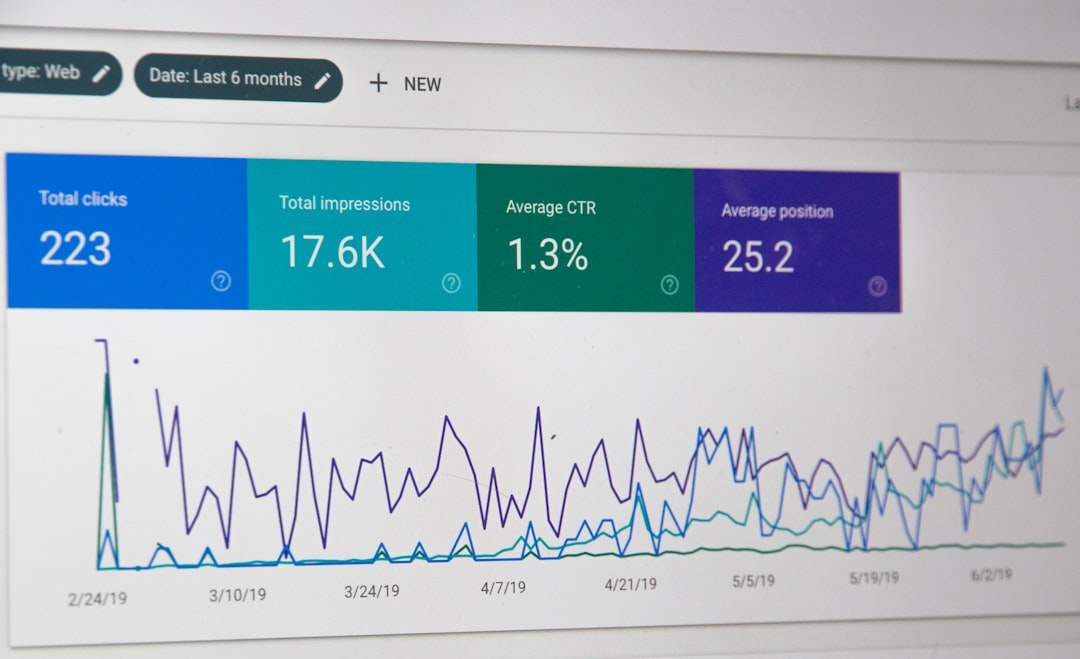
Crawl budget is the number of pages Google will crawl on your site within a given timeframe, determined by two factors: how fast your server can handle requests and how much Google actually wants to crawl. For most small websites, it’s irrelevant. But once a content site crosses roughly 5,000 pages — and especially once it passes 10,000 or 50,000 — crawl budget optimization becomes the difference between new articles appearing in search results within hours or languishing undiscovered for weeks.
The problem is specific to content-heavy publishers. Every tag page, every date archive, every author page, and every paginated feed generates a unique URL that Googlebot treats as a crawlable destination. A site with 3,000 articles might actually expose 25,000 URLs to search engines. And most of those URLs carry zero value.
This guide breaks down how to diagnose crawl waste, fix it, and measure the results — specifically for large content sites where the problem is most acute and least understood.
What Crawl Budget Actually Means for Large Content Sites
Google’s own documentation defines crawl budget as the intersection of crawl rate limit and crawl demand. These aren’t abstract concepts. They dictate whether your newest piece of content gets indexed today or next month.
A common misconception: every site needs to worry about this. That’s wrong. Google has explicitly stated that most sites with fewer than a few thousand URLs will be crawled adequately without any intervention. Crawl budget optimization matters when scale creates competition between your own pages for Googlebot’s attention.
Crawl Rate Limit vs. Crawl Demand: The Two Components
Crawl rate limit is the ceiling — the maximum number of simultaneous connections Googlebot will open to your server without degrading performance. If your server responds slowly or throws errors, Google backs off. Fast, reliable hosting raises this ceiling.
Crawl demand is Google’s motivation to crawl. Popular pages with frequent updates generate high crawl demand. Stale pages nobody links to generate almost none. Google combines these two signals to decide your effective crawl budget.
For large publishers, the math works against you. You might have high crawl demand for your homepage and top categories, but Googlebot doesn’t exclusively visit those pages. It follows every link it finds, including links to your 847 tag pages, your date-based archives going back to 2014, and that internal search results page that generates infinite URL permutations.
Why Content Sites Burn Through Budget Faster Than E-Commerce
E-commerce sites have their own crawl budget challenges (faceted navigation, product variants), but content sites generate URL bloat in ways that are uniquely wasteful:
- Tag pages: A site with 200 tags and 3,000 articles might generate 200+ thin listing pages, many with only 1-2 posts
- Date archives: Monthly and yearly archives create hundreds of URLs that duplicate content already accessible through categories
- Author archives: Multi-author sites generate per-author listing pages, often with paginated series
- Paginated feeds: A category with 500 articles at 10 per page creates 50 paginated URLs per category
- Internal search result pages: If your site search URLs are crawlable, you’ve handed Googlebot an infinite crawl trap
A content site publishing 5 articles per day for three years has roughly 5,400 articles. But the supporting architecture — tags, categories, author pages, date archives, paginated feeds — can balloon that to 30,000+ crawlable URLs. Most of those pages are thin, duplicative, and compete with your actual content for Googlebot’s time.
Using Log File Analysis to Diagnose Googlebot Crawl Behavior
Before you fix anything, you need data. Not assumptions — actual server log data showing exactly which URLs Googlebot visits, how often, and what responses it gets. Log file analysis is the diagnostic foundation of any serious crawl budget SEO effort.
Google Search Console’s crawl stats report gives you aggregate numbers. That’s useful but incomplete. Server logs tell you which specific URLs Googlebot is spending time on, and that’s where the waste becomes visible.
Setting Up Log File Analysis for Googlebot Crawl Data
Your web server records every request in access logs. Apache stores them in /var/log/apache2/access.log by default; Nginx uses /var/log/nginx/access.log. If you’re on managed hosting, you may need to request raw log access or enable it through your control panel.
What to extract:
- Filter log entries for the Googlebot user agent string (
GooglebotorGooglebot-Image) - Extract the URL requested, HTTP status code returned, response time, and timestamp
- Aggregate by URL pattern (e.g., all
/tag/*URLs, all/page/*URLs)
Tools that simplify this:
- Screaming Frog Log Analyzer — purpose-built for SEO log analysis, handles large files well
- Command-line tools —
grep,awk, andsortwork for quick analysis on Linux servers - ELK Stack (Elasticsearch, Logstash, Kibana) — best for ongoing monitoring at scale, lets you build dashboards that track Googlebot behavior over time
For a site with 5,000+ pages, you want at least 30 days of log data to identify meaningful patterns. A single day’s snapshot won’t reveal the full picture.
Identifying Wasted Crawl Spend on Low-Value URLs
This is where the real insights live. Export your Googlebot crawl data and categorize URLs into buckets:
| URL Pattern | Example | Typical Value | Common Crawl Share |
|---|---|---|---|
| Article pages | /best-hiking-trails-colorado/ | High | 30-40% |
| Category pages | /category/outdoor-gear/ | Medium | 10-15% |
| Tag pages | /tag/hiking/ | Low | 15-25% |
| Paginated archives | /category/outdoor-gear/page/7/ | Low | 10-20% |
| Date archives | /2023/04/ | Very Low | 5-10% |
| Author archives | /author/jane-smith/ | Low | 3-8% |
| Internal search | /?s=hiking+boots | Zero | 5-15% |
If Googlebot is spending 40-60% of its crawl budget on tag pages, paginated archives, date archives, and internal search results, you have a serious problem. That’s crawl capacity being diverted away from the articles and cornerstone content that actually drive organic traffic.
Compare your crawl distribution against your priority pages. If your top 100 revenue-generating articles receive fewer Googlebot visits than your tag pages, your crawl budget allocation is inverted.
Reading Crawl Frequency Trends Over Time
Track total Googlebot requests per day over 90-day windows. Healthy trends show:
- Stable or gradually increasing crawl volume — Google trusts your site and finds value in crawling it
- Crawl spikes after publishing — Google is responsive to your new content
- Quick re-crawls of updated pages — freshness signals are working
Warning signs:
- Steady decline in daily crawl volume — Google may be losing interest, possibly due to quality issues or excessive thin content
- Sudden drops — could indicate server issues, robots.txt changes, or manual actions
- Flat crawl volume despite increased publishing — your new content isn’t generating crawl demand, suggesting it’s buried too deep in your site architecture
Cross-reference these trends with Google Search Console’s Index Coverage report. If crawl frequency drops and your “Discovered — currently not indexed” count rises simultaneously, you have a crawl budget bottleneck.
Seven Practical Fixes to Reclaim Wasted Crawl Budget
Ranked roughly by impact for content sites at scale. Start at the top and work down.
Consolidate and Noindex Thin Archive Pages
Tag pages with 1-3 posts, date-based archives, and author pages for one-time contributors add nothing to your site’s search presence. They dilute crawl budget and often create thin content issues.
What to do:
- Add
noindex, followto tag pages with fewer than 5 posts - Remove date-based archives entirely (or noindex them all — they almost never rank)
- Noindex author archive pages for contributors with fewer than 10 articles
- Consider consolidating similar tags (merge “SEO tips” and “SEO advice” into one)
Critical distinction: noindex tells Google not to include a page in search results, but Googlebot still crawls it. To prevent crawling entirely, use robots.txt. The tradeoff: blocking via robots.txt also blocks link equity flow through those pages. For most tag and archive pages, noindex, follow is the right call — it preserves internal link equity while removing thin pages from the index.
Clean Up Faceted Navigation and URL Parameters
Content sites with topic filters, sort options, or date ranges can generate thousands of parameter-laden URLs. A URL like /articles/?topic=seo&sort=date&page=3 creates a unique crawlable path that duplicates content available through cleaner URLs.
Fixes:
- Add
rel="canonical"tags pointing parameter URLs to the base page - Block known parameter patterns in robots.txt (
Disallow: /*?sort=) - Use the URL Parameters tool in Google Search Console (where still available) to tell Google how to handle specific parameters
- Prevent internal links from pointing to parameterized URLs
The goal is eliminating infinite crawl loops. One content site I’ve seen generated over 100,000 crawlable URL combinations from just 12 filter options on a single listing page.
Fix Internal Linking to Prioritize High-Value Content
Googlebot follows links. The pages you link to most frequently from prominent positions get crawled most often. If your sidebar contains links to 50 tag pages but your best articles are only linked from a single category page buried four clicks deep, you’ve told Googlebot that tag pages matter more.
Action items:
- Ensure every important article is reachable within 3 clicks from the homepage
- Add contextual internal links within article body text pointing to related cornerstone content — this is something we explore regularly on our Blog
- Audit for orphan pages (articles with zero internal links pointing to them)
- Reduce sidebar and footer link bloat that points to low-value pages
- Create topic hub pages that consolidate internal links around your key content clusters
Flat site architecture isn’t just good for users. It directly influences where Googlebot spends its crawl budget.
Optimize XML Sitemaps for Crawl Efficiency
Your XML sitemap is a crawl priority signal. If it contains 404 pages, redirected URLs, noindexed pages, or non-canonical URLs, you’re sending Googlebot on wasted trips.
Sitemap hygiene rules:
- Include only indexable, 200-status, canonical URLs
- Split sitemaps by content type (articles, categories, static pages) — this makes monitoring easier
- Keep each sitemap file under 50,000 URLs and 50MB uncompressed
- Use
<lastmod>dates accurately — only update them when page content actually changes - Remove any URL that returns a 301, 302, 404, 410, or carries a noindex tag
- Submit your sitemap index file in Google Search Console and monitor for errors
For a content site with 5,000+ articles, a clean sitemap that only contains your actual articles and key landing pages gives Googlebot a clear map of what matters.
Reduce Server Response Times and Improve Crawl Rate
Googlebot’s crawl rate limit adapts to your server’s performance. Faster responses = more pages crawled per session. Google’s Gary Illyes has confirmed that server speed directly impacts how aggressively Googlebot crawls.
Quick wins:
- Enable server-side page caching (full-page caching for logged-out users)
- Use a CDN to reduce TTFB for geographically distributed crawlers
- Optimize database queries — slow database calls are the #1 cause of high TTFB on WordPress content sites
- Target TTFB under 200ms for article pages; under 500ms is the bare minimum
A site that drops average server response time from 1.2 seconds to 300ms can see Googlebot crawl 3-4x more pages in the same session window.
Manage Redirect Chains and Soft 404 Errors
Every redirect chain wastes a crawl request. A chain of three redirects (A → B → C → D) consumes four crawl requests to reach one page. Multiply that across hundreds of redirected URLs and the waste adds up fast.
Audit for:
- Redirect chains longer than 2 hops — flatten them to single redirects
- Soft 404s (pages returning 200 status but displaying “page not found” content) — these waste crawl budget because Googlebot keeps recrawling them
- Permanently removed content still returning 301 redirects to irrelevant pages — use 410 (Gone) status codes instead to tell Google the content is permanently removed
Google Search Console’s Coverage report flags soft 404s. Fix them. They’re silent crawl budget killers.
Strategic Use of Robots.txt Without Blocking Important Resources
Robots.txt is a blunt instrument but an effective one for blocking entire directories that should never be crawled. For content sites, common candidates include:
Disallow: /search/
Disallow: /*?s=
Disallow: /wp-admin/
Disallow: /feed/
Disallow: /trackback/
Critical mistakes to avoid:
- Don’t block
/wp-content/uploads/— this prevents Googlebot from accessing images - Don’t block CSS or JavaScript files — Google needs these to render your pages
- Don’t use robots.txt to “deindex” pages — it doesn’t work that way; blocked pages can still appear in search results with no snippet
- Test every robots.txt change using Google Search Console’s robots.txt tester before deploying
If you’re new to thinking about how SEO fundamentals connect to site performance, our Welcome page offers a good starting point for understanding the broader picture.
Crawl Budget SEO: Measuring Impact After Optimization
You’ve made changes. Now prove they worked.
Key Metrics to Track in Google Search Console
Open the Crawl Stats report (Settings → Crawl Stats) and monitor:
- Total crawl requests per day — should stabilize or increase after removing crawl waste
- Average response time — should decrease if you’ve improved server performance
- Crawl request breakdown by response type — the percentage of 200 responses should increase; 301s, 404s, and other non-200 responses should shrink
In the Index Coverage report, track:
- Valid pages count — should hold steady or increase as important pages get crawled and indexed faster
- “Discovered — currently not indexed” — this count should decrease as Googlebot spends more time on pages worth indexing
- “Crawled — currently not indexed” — if this number drops, Google is finding more of your crawled pages worthy of indexing
Review these metrics in 90-day windows. Short-term fluctuations are normal; trends over three months tell the real story.
Correlating Crawl Improvements With Indexation and Rankings
The causal chain is straightforward:
Better crawl efficiency → Faster discovery and indexation of new/updated content → Improved organic visibility
Realistic timelines:
- Server-side improvements (faster TTFB, CDN): Crawl rate changes visible within 1-2 weeks
- Robots.txt and noindex changes: Crawl pattern shifts within 2-4 weeks
- Internal linking restructuring: Crawl redistribution within 4-8 weeks
- Full indexation impact: 2-3 months for the complete effect to manifest in organic traffic
Track new article indexation speed as a proxy metric. If articles published today appear in Google Search Console’s “URL Inspection” as indexed within 24 hours instead of 5-7 days, your crawl budget optimization is working.
Frequently Asked Questions About Crawl Budget for Large Sites
Does Every Website Need to Worry About Crawl Budget?
No. Google has stated that sites with fewer than a few thousand unique URLs are generally crawled without issues. Crawl budget optimization becomes a genuine concern at 5,000+ pages, particularly when dynamic URL generation (tags, filters, archives) inflates the crawlable URL space well beyond your actual content count.
Does Noindexing a Page Save Crawl Budget?
Not directly. Googlebot still has to crawl a page to discover the noindex directive. To prevent crawling entirely, block the URL via robots.txt. The tradeoff: robots.txt blocks link equity flow, while noindex preserves it. Choose based on whether the page passes valuable internal links.
How Often Does Googlebot Crawl a Typical Content Site?
It varies enormously. High-authority news publishers see millions of crawl requests daily. A mid-tier content site with 10,000 pages might see 2,000-10,000 Googlebot requests per day. A smaller site might see a few hundred. Log file analysis is the only reliable way to know your actual numbers — Google Search Console’s crawl stats report provides a useful approximation but lacks URL-level detail.
Can Changing Hosting Providers Affect Crawl Budget?
Yes. Server response time directly influences crawl rate limit. Migrating from a shared hosting environment with 1.5-second TTFB to a dedicated server or cloud setup with 200ms TTFB can substantially increase how many pages Googlebot fetches per session. The reverse is also true — moving to a slower host can reduce crawl throughput.
Should I Disallow or Noindex Paginated Pages?
Use noindex, follow on deep pagination pages (page 3 and beyond) rather than blocking them in robots.txt. This keeps paginated pages out of the index while preserving the link equity that flows through those pages to the articles listed on them. Blocking with robots.txt severs that link flow entirely.
How Do JavaScript-Heavy Pages Impact Googlebot Crawl Efficiency?
Googlebot processes JavaScript-rendered content through a separate rendering queue, which Google has confirmed can delay indexation. Each JS-heavy page consumes more crawl resources than a server-rendered equivalent. For content sites, server-side rendering or pre-rendering article content eliminates this bottleneck and improves crawl efficiency significantly.
Is There a Way to Increase Google’s Crawl Rate for My Site?
The most effective approach is improving server performance and publishing fresh, high-quality content consistently. Google naturally increases crawl demand for sites that update frequently with valuable content. A legacy crawl rate setting exists in Google Search Console, but it only lets you reduce crawl rate, not increase it. Focus on making your server fast and your content worth crawling.
Your Next Step: Build a Crawl Efficiency Audit Workflow
Crawl budget optimization isn’t a one-time project. Content sites publish continuously, which means new URLs accumulate, redirect chains grow, and crawl waste creeps back in.
Build a monthly audit workflow:
- Week 1: Pull 30-day Googlebot log data and categorize crawl distribution by URL type
- Week 2: Compare crawl distribution against your content priorities — identify new sources of waste
- Week 3: Implement fixes (noindex new thin pages, clean up new redirect chains, update sitemaps)
- Week 4: Review Google Search Console crawl stats and index coverage for trend changes
The sites that maintain strong crawl efficiency at scale are the ones that treat this as a recurring process, not a quarterly afterthought. Every new tag you create, every article you unpublish, every URL parameter you add — each one shifts the balance. Stay on top of it, and Googlebot spends its time where it matters: on the content that drives your traffic.
References
- Google Search Central: Managing Your Crawl Budget
- Google Search Central: JavaScript SEO Basics
- Google Search Central: Spam Policies — Thin Content